
After You Record: Podcast Editing, Turnaround, and Delivery Explained
What Does Podcast Editing Actually Include?
Editing is where a recorded conversation becomes a listenable, watchable episode. It is not just trimming the beginning and end. A real edit syncs footage from every camera angle, balances audio levels between hosts and guests, removes dead air and filler, and smooths out the rough patches that happen in any live conversation.
- Audio cleanup: leveling volume between speakers, reducing background noise, fixing mic bumps
- Video sync: aligning multiple camera angles so cuts land on the right speaker at the right moment
- Pacing cuts: trimming long pauses, false starts, and tangents that do not serve the episode
- Branding elements: intros, outros, lower thirds, and any graphics you want on screen
If you want a deeper breakdown of how a full podcast setup works from booking to publishing, G Media's podcast production in Las Vegas guide walks through the whole process.
How Long Does Podcast Editing Turnaround Actually Take?
There is no single honest number here, and any studio that quotes you one flat turnaround for every episode without asking about your content is guessing. Turnaround depends on three things you control: episode length, how many camera angles were recorded, and how many revision rounds you ask for.
A 30-minute single-topic episode with two camera angles and no revisions takes less editing time than a 90-minute panel discussion with four cameras and a round of client notes. The honest move is to ask your editor directly, before you book, what their current turnaround looks like for a session your size.
If you are weighing studios in Las Vegas, this is one of the questions worth asking during a free studio tour before you commit to a package. Get the turnaround commitment in writing so you know what to expect for your specific episode, not a generic average.
What Do Clients Review Before an Episode Goes Live?
Before any episode gets published, you should get a chance to review the edited cut. This review step exists so the final product matches what you actually wanted, not just what the editor assumed you wanted.
- Audio balance between all speakers, including any guests on separate mics
- Pacing: does the cut feel natural, or are there jarring jumps between segments
- Camera cuts: do they land on the right person at the right time
- On-screen graphics, lower thirds, and spelling of names or titles
- Intro and outro placement, including any sponsor or call-to-action segments
This is also the point where you decide what gets repurposed for other channels. Short clips pulled from a long-form episode are often the easiest way to keep a social media presence active between full episode releases.
What Happens During a Multi-Camera Podcast Session?
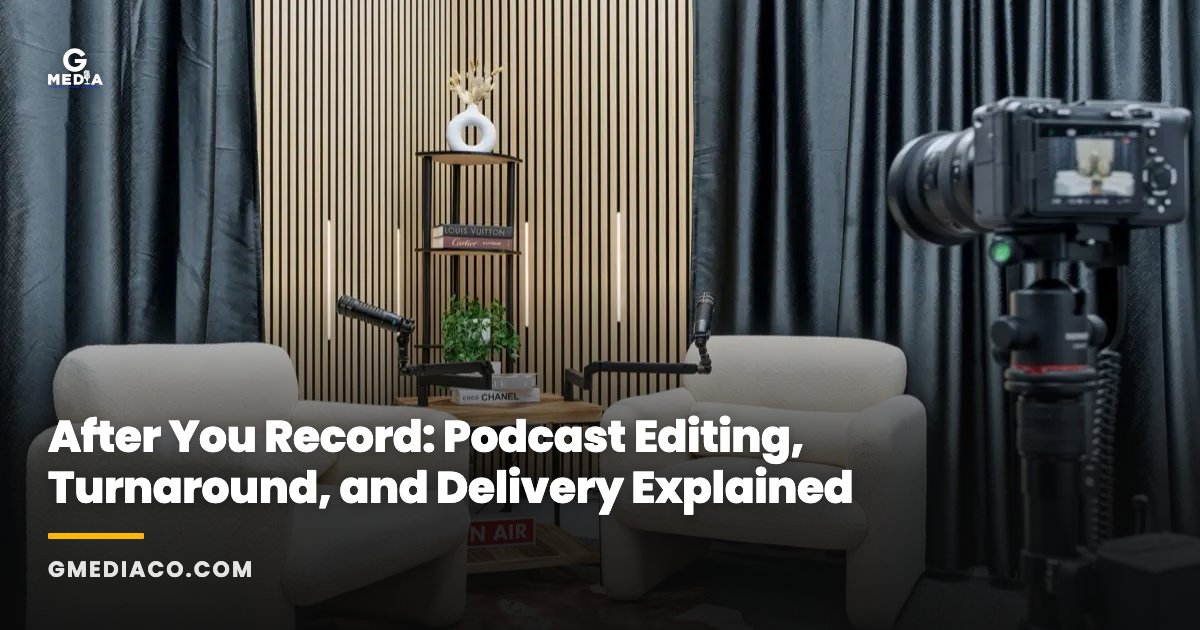
At G Media's Las Vegas studio, a standard session runs roughly 90 minutes and is recorded on multiple cameras at once. Having more than one angle available is what lets an editor cut between hosts and guests instead of locking the entire episode to a single static shot.
During the session itself, the focus is on getting a clean recording: good audio levels, consistent framing, and enough raw footage from each angle that the editor has real options later. The editing work happens after the session ends, using that multi-camera footage as the raw material.
The first fully edited episode from a session like this runs $149, which covers the edit itself, not just the time spent recording. That is a useful benchmark if you are trying to understand what a professional edit actually costs versus just renting studio time.
What Should You Prepare Before and After Recording? A Quick Checklist
A smoother edit starts before you ever hit record. Here is a practical checklist to work through:
- Before recording: confirm how many camera angles will be used and whether that fits your episode format
- Before recording: agree on turnaround expectations and how many revision rounds are included
- Before recording: have your intro, outro, and any graphics or names spelled out exactly as you want them on screen
- After recording: review the rough cut promptly so revision requests do not stall your publish schedule
- After recording: decide which moments you want clipped for social media before the editor moves on to the next project
Working through this list before your session removes most of the back-and-forth that slows down a final delivery.
Does Mobile Podcast Production at Conventions Change the Editing Process?
Recording on location at a convention or trade show is billed differently from a studio session. Mobile podcast production runs $750 per hour with a 3-hour minimum, which reflects the cost of setting up multi-camera gear in a venue rather than a fixed studio.
The editing workflow afterward is similar in principle: sync the footage, clean the audio, cut for pacing. But convention floors are noisier and less controlled than a studio, so audio cleanup often takes more attention, and that is worth factoring into your turnaround conversation.
If you are planning to record podcast content around a company event or trade show, it is worth looking at how corporate convention production is typically scoped, since the planning and editing considerations overlap with event videography more than with a standard studio episode.
What Happens to Your Episode After Editing Is Done?
Once you approve the final cut, delivery usually means a finished video file and an audio file ready for the platforms you publish to. From there, the episode becomes raw material for everything else: show notes, audiogram clips, and short-form cuts for social.
If you are not sure how a video production studio should fit into your broader content plan, G Media's guide on how to choose a video production company in Las Vegas covers questions worth asking before you commit to any studio, podcast-focused or otherwise.
And if podcasting is just one piece of a larger content strategy, it is worth reviewing what ongoing social media management support looks like, since episodes perform better with consistent posting around them than as one-off drops.
Frequently asked questions
Do I get the raw, unedited footage along with my final episode?
This depends on the studio's policy, so confirm it before you book rather than assuming. Some studios include raw files with a session, others treat them as a separate deliverable. Ask directly what is included with your package so there are no surprises after recording.
Can I request revisions after I see the first edit?
Most professional editing workflows build in at least one revision round, but the exact number varies by studio and package. Agree on how many rounds are included before your session so you know what additional revisions might cost if you need more.
What file formats will I receive when editing is finished?
Typical podcast delivery includes a video file for platforms like YouTube and an audio file for podcast feeds. Confirm exact format and resolution specs with your studio ahead of time so your intro graphics and any sponsor assets are built to match.
How many camera angles does a typical podcast studio use?
It varies by studio and room setup. G Media's Las Vegas studio records multi-camera sessions so editors have cutaway options between hosts and guests, which generally produces a more dynamic final episode than a single fixed camera.
Is editing included in the $149 first-episode price, or billed separately?
G Media's $149 rate covers a fully edited first episode from a roughly 90-minute multi-camera session, meaning the edit itself is part of that price rather than an add-on. That makes it a straightforward way to see what a professional edit costs before committing to an ongoing package.